Carry-Overs: Keep unresolved billing discrepancies visible until the issue is resolved.
Plan Balance Report: View companies and plans grouped by invoice for easier tracking and review.
Faster Plan Configuration: Plan Mapping and Deduction Codes screens now load 2–7 times faster.
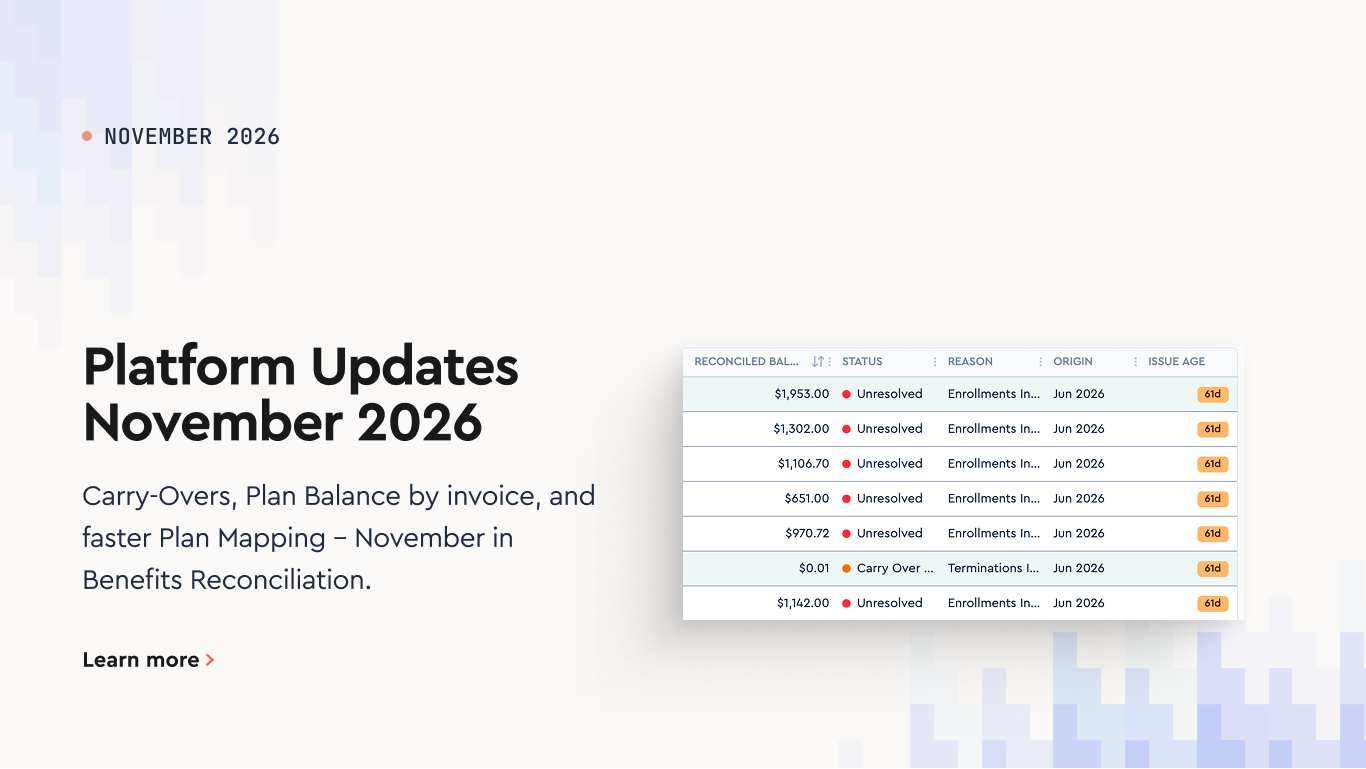
November’s release introduces Carry-Overs in Benefits Reconciliation and regroups the Plan Balance Report by invoice, alongside a speed-up for the Plan Configuration and Plan Mapping screens.
New Carry-Overs Feature
[[NOTE]]Carry-overs appear on an invoice only after it has been regenerated. The quickest way to do this is from the invoice list view: open the Mass Actions menu and click Mass Refresh. [[/NOTE]]
When an employee has an unresolved billing discrepancy from an earlier month and then disappears from all three data sources—carrier bills, payroll, and enrollment—it’s easy to lose track of the issue and forget to follow up with the carrier to recover money owed.
The new Carry-Overs feature keeps these discrepancies visible month after month, so your team knows what still needs attention. A carry-over closes automatically when a carrier adjustment resolves the discrepancy, or can be closed manually like any other variance.
Carry-overs are tracked separately for the Payroll vs Carrier reconciliation and the Enrollment vs Carrier reconciliation. Clearing one does not affect the other.
How a Carry-Over Starts
A carry-over is created automatically when reconciliation finds an unresolved variance, including one marked In Progress.
In the following months, it appears in one of two ways:
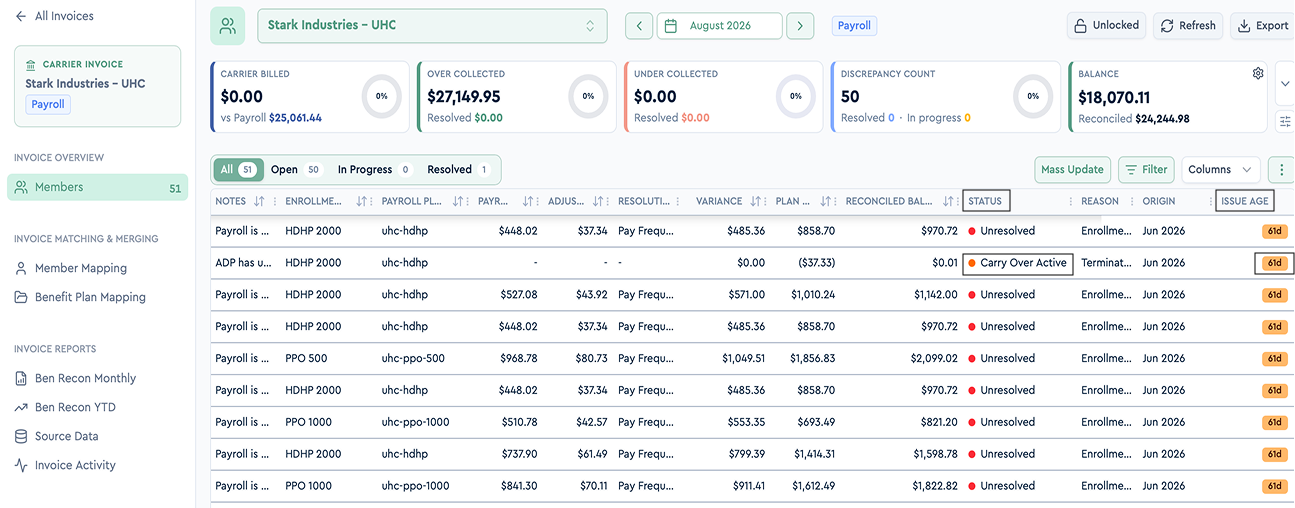
The employee still has data: Their row appears as usual, with a day counter (e.g., 92d) in the Status column showing how long the variance has been open.
The employee has no data: A reminder row appears with a red arrow in the Person column and the status Carry Over Active. It has no amounts of its own and simply keeps the issue visible.
If the variance continues across multiple months, it remains part of the same carry-over rather than creating a new one each month.
Reason Codes
Placeholder rows do not get a reason code of their own. Instead, they display the reason code from the most recent month with an unresolved variance.
Carry-overs are also included in reason-code filters and reports, making it easy to find and track these issues.
How a Carry-Over Is Cleared
A carry-over is closed either by clearing it on a placeholder row or by resolving the month where it started. Both record who closed it and when.
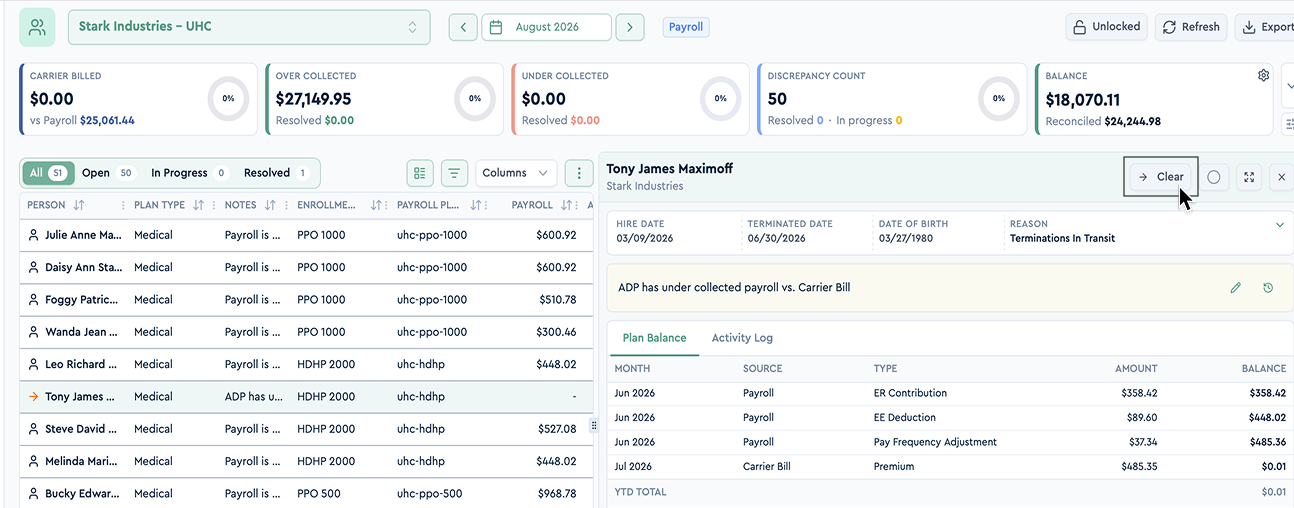
Clear it manually: Click Clear on any placeholder row or select Mark cleared when making a manual adjustment. All affected rows are marked Carry Over Cleared.
Resolve the original variance: When the original variance is resolved, either manually or through a carrier bill or COBRA adjustment, the carry-over closes automatically. If a later month still has an unresolved variance, the carry-over stays open and tracking continues from that month.
Reopening a Carry-Over
A cleared carry-over can be reopened if the discrepancy was not actually resolved. There are three ways:
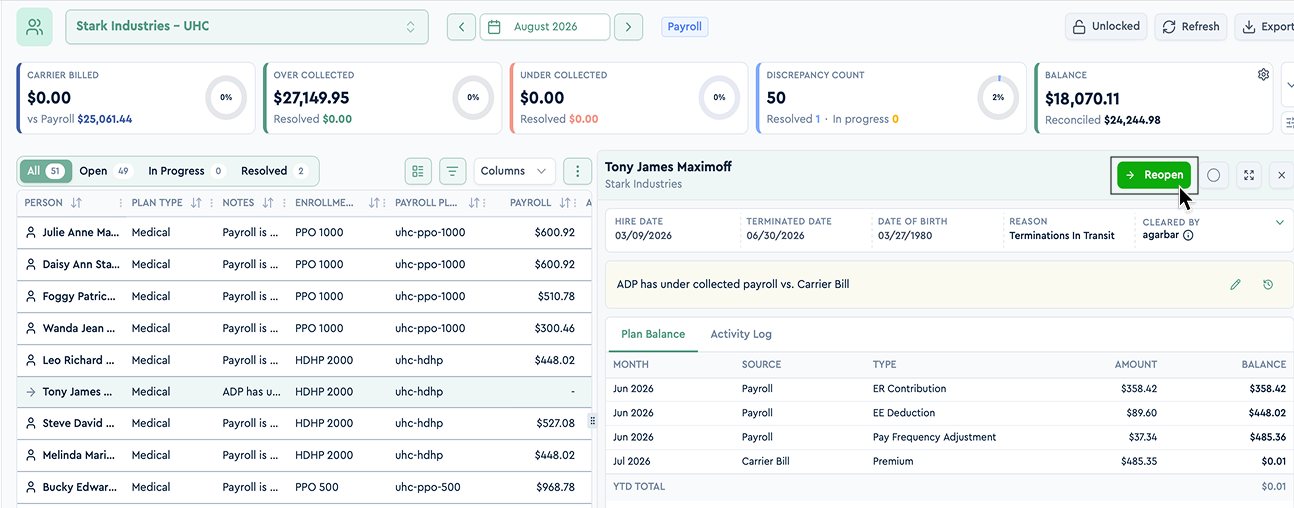
Reopen button: Click Reopen on a cleared row to reactivate the carry-over. Months previously resolved manually remain resolved.
Unresolve the start month: Marking the original variance as unresolved reopens the carry-over.
Unresolve a later month: The carry-over reopens from that month, while earlier resolved months stay closed.
If another carry-over has since started for the same employee and plan, the two are merged into one. The change is recorded in the audit log.
Where You’ll See Carry-Overs
Place
What changed
Member list
The Person column displays a red arrow icon for active carry-overs and a grey arrow icon for cleared ones. The Status column shows Carry Over Active / Carry Over Cleared and a day counter (e.g., 92d) while the discrepancy is open.
Member status filter
New option: Carry Over Members.
Issue filters
New options: Carry Over Active, Carry Over Cleared, and Ongoing Discrepancies — every row that belongs to an open carry-over, with or without its own data.
Issue Age
New column, sortable and filterable: days from the start month to the row's own month.
Invoice statistics
An active carry-over counts as an open issue; a cleared one counts as resolved.
Reports
Carry-over rows are included in reports like any other row, with their status (Carry Over Active / Cleared), reason code, and Completed By / Completed At from the clear.
Audit log
New entries cleared carry-over and reopened carry-over with the months affected, under the filter Carry-Over Clear/Reopen.
Plan Balance Report: Grouping by Invoice
The Plan Balance Report now makes it easier to see which companies and plans belong to each invoice, especially when working with group invoices and unmapped plans.
What Changed
Grouped by invoice: Records are now organized by invoice, with the invoice name added as a column.
Company and carrier details: Both remain visible for every record.
Group invoices: All companies included in the same invoice appear together.
This makes it easier to review plan balances without having to check the invoice setup separately.
Plan Configuration and Plan Mapping: Faster Page Loading
The Plan Mapping screen and the Deduction Codes tab in Plan Configuration now load approximately 2 to 7 times faster, making it quicker to review and manage plan settings.
The improvement is especially noticeable for clients with larger amounts of data.
What Changed
Deduction codes are now stored together with the plan configuration. Plan Mapping and the Deduction Codes tab read the stored codes instead of recalculating them each time.
The gain scales with data volume - the larger the client, the bigger the difference.
Benefits Open Enrollment: Employer Guide and Checklist
A complete open enrollment guide for employers: when the open enrollment period runs, key dates and deadlines, a step-by-step checklist, and tips that work.
Best HRIS Systems: Top 10 Picks by HR Teams in 2026
Discover the best HRIS systems in 2026. Compare the top 10 HRIS platforms, features, pricing, pros and cons, and find the best HRIS software for your HR team