


NEW

ADP Integration for Benefits Reconciliation

reconcile
benefit
premiums faster

Tabulera’s ADP integration allows you to catch employee benefit premium errors without manual spreadsheet work.

Catch billing errors.
Speed up monthly audits.
Eliminate write-offs.

How most ADP Teams Reconcile Employee Benefit Premiums Today

Spreadsheets quietly become the system of record used to validate benefit premiums, built and maintained by a single team member. They take days to update each month and break down when leadership needs confidence in the numbers.

Why reconciliation breaks down

Operational Drag

Time is pulled into validating benefit premiums instead of core work.

Delays, rework, and follow-ups become part of every monthly cycle.

<12hours
Per month spent on manual reconciliation
Premium Leakage

Without clear tracking, teams lose visibility into open issues.

Corrections miss the 60-day recovery window and can’t be credited back.

$11
PEPM written off due to billing errors
Audit Gaps

There is no consistent trail behind billing decisions.

Explanations depend on notes when questions arise.

What Controlled Reconciliation Looks Like for ADP Teams

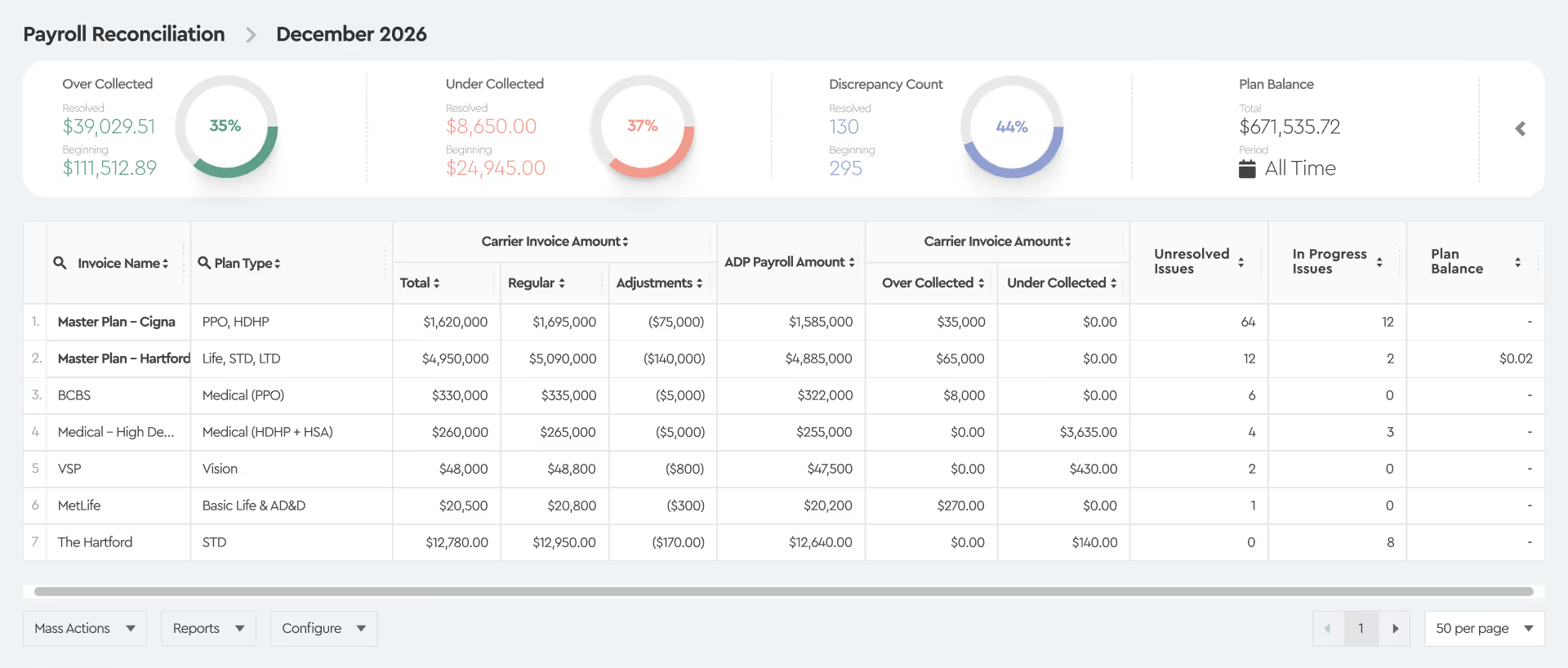
A controlled reconciliation process means the same review happens every month. Teams see what’s open, what’s resolved, and what’s expected to change, without recreating history or stitching data together.

Payroll and Carrier Data Stay Aligned

Stop stitching together payroll and carrier data in Excel. Reconcile benefit premiums without manual joins or risky mappings.

Open and Resolved Issues Stay Visible

Know which premium issues are still open and which are resolved. Carry that context forward from month to month without starting over.

Reviews Focus Only on Variances

Stop reviewing employees without variances every cycle. Focus attention only on variances that actually need explanation.

Historical Variances Stay Accessible

Answer variance questions without jumping between old invoices and prior enrollment and payroll reports. The ADP integration keeps all relevant context in one place.

Issues Are Tracked Until Resolved

Correct premium issues in ADP or notify carriers to apply credits. Follow each correction until it shows up on the next bill.

Finance Gets Close-Ready Results

Generate clear premium reconciliation reports that support month-end close. Help finance move faster without extra follow-ups.

How Tabulera’s ADP Integration Works

Tabulera’s ADP integration brings ADP payroll data and carrier invoices together in one place. Teams validate benefit premiums without building or maintaining spreadsheets. The process follows the monthly billing cycle and is easy to repeat.

1

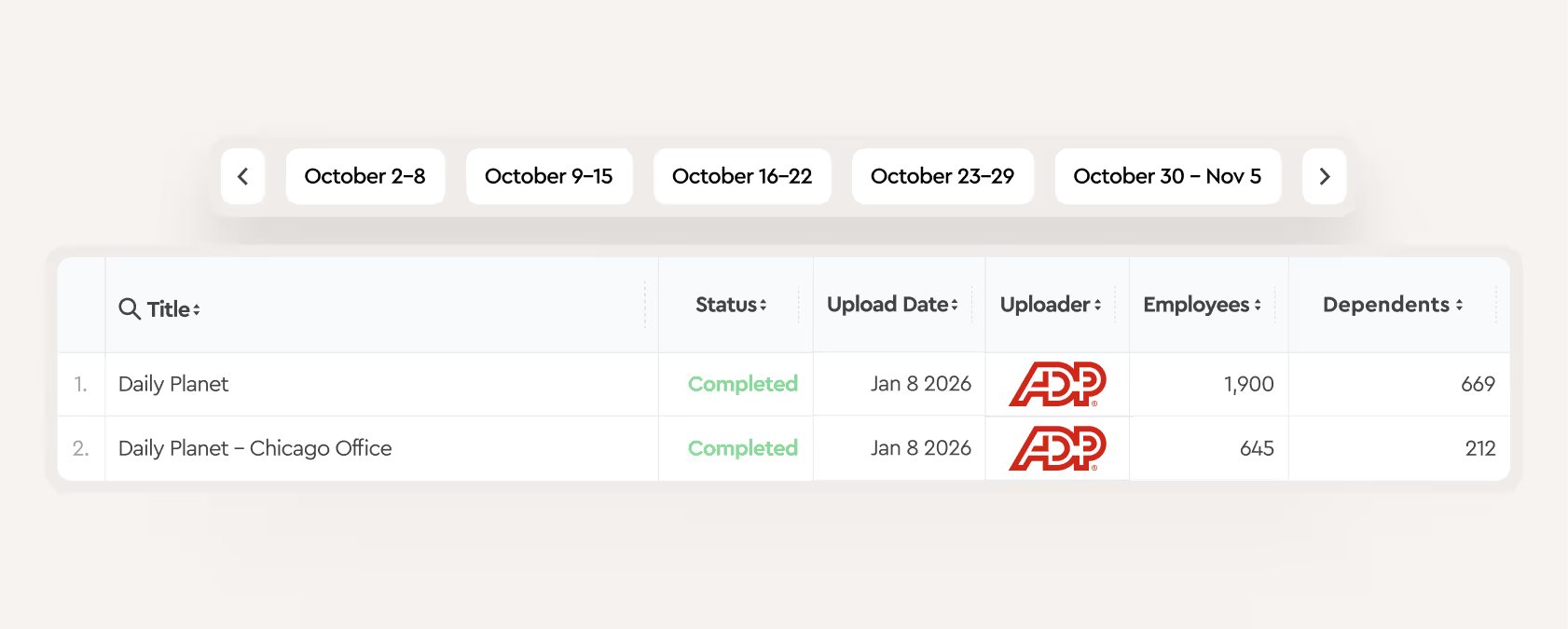
Upload ADP Payroll and Enrollment Data

This data becomes the foundation for comparing ADP payroll records against carrier billing, allowing teams to review deductions, contributions, and billed premiums side by side.

2

Upload invoices

Removes file cleanup and formatting work. Invoices can be uploaded as received, without adjusting layouts or renaming fields.

Pick reconciliation period

June
6
July
7
August
8

Drop in your carrier bills

MetLife - Daily Planet.xlsx
UHC - Daily Planet.xlsx
Aetna - Daily Planet.xlsx
Drop invoices here
3

Confirm Plan Name Matching

Removes file cleanup and formatting work. Invoices can be uploaded as received, without adjusting layouts or renaming fields.

Map invoice plans to ADP

Invoice Plans:
Clark Kent
Edit Mapping
Invoice Plans:
Clark K.
Edit Mapping
Invoice Plans:
Clark Kent
Edit Mapping
Invoice Plans:
Clark J. Kent
Edit Mapping
4

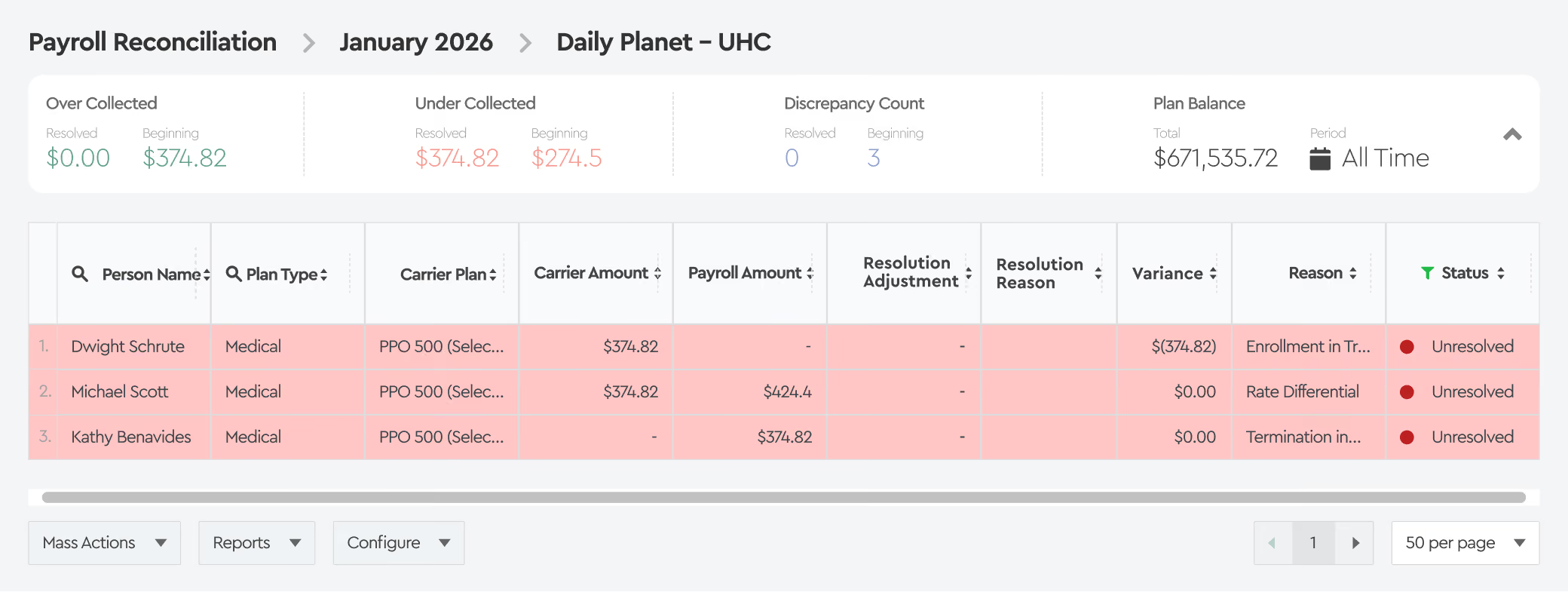
Review employee with variances

Only employees with premium variances are flagged. Clean records are excluded from review.

5

Sort by Variance Reason

Each variance includes a clear reason. Teams can group by reason to spot patterns or review individual issues.

6

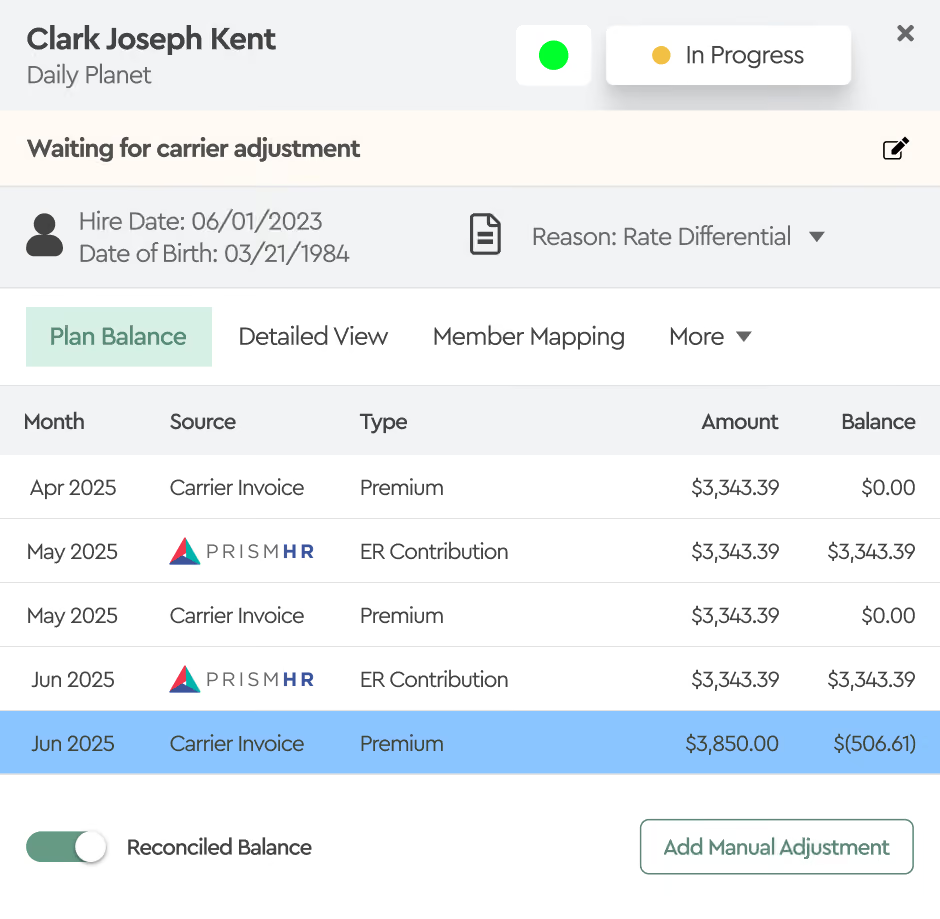
Review History and Resolve Variances

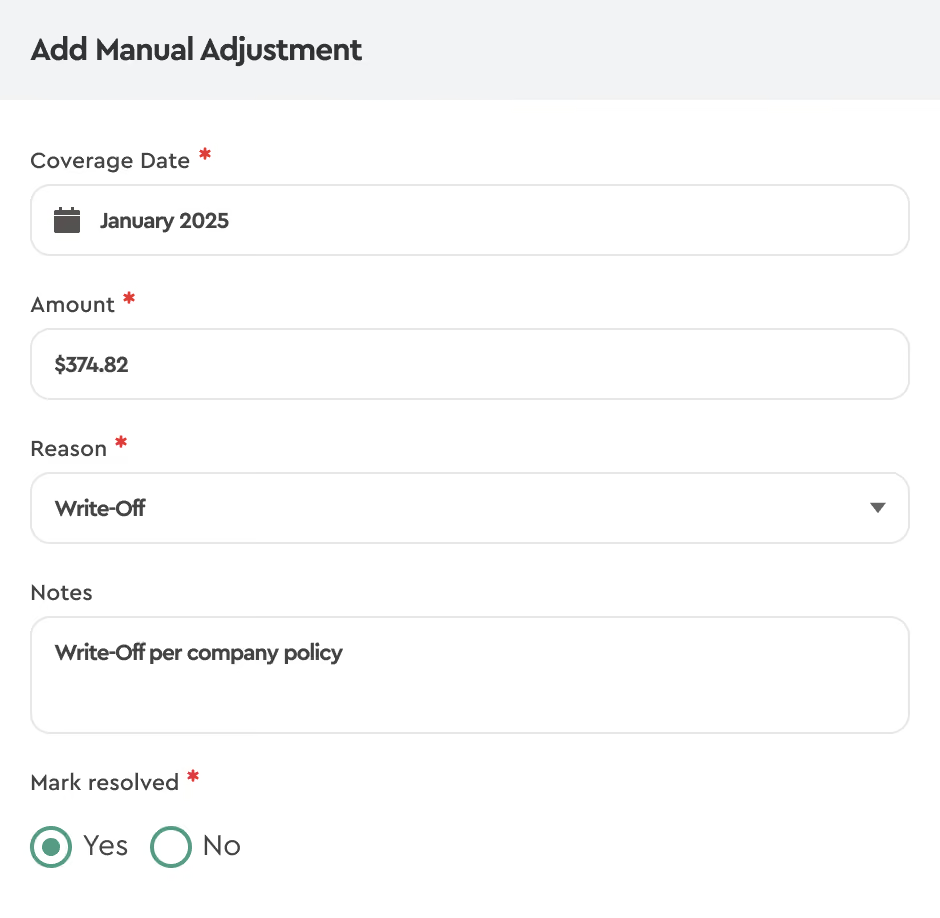
View complete employee premium history across payroll and carrier billing. Document resolutions with notes and tags, and track each variance until it’s fully resolved.

Resolve variances by notifying carriers, correcting ADP data, or applying write-offs per policy. All actions are recorded to support future reviews and audits.

7

Generate Reports

Support month-end close, reviews, and audit requests with confidence. Finance and leadership get answers without follow-ups or manual exports.

Reconciliation Report

Shows total invoice amounts, manual adjustments, and in-transit items - ideal for accounting and GL entries.

Plan Balance Report

View total plan costs per employee over a selected period, broken down by carrier or company.

Audit Report

Tracks all user actions across the platform, providing a clear audit trail of who did what and when.

ADP Integration That Simplifies Benefit Reconciliation Across Teams

Benefit reconciliation involves multiple stakeholders but often lacks a clear owner, leading to manual, fragmented workflows. Tabulera bridges these gaps, providing a central source of truth that simplifies the process for everyone involved.

HRIS Leaders

Less time supporting ad-hoc data requests related to benefits premiums.

The reconciliation process runs without custom reports or one-off fixes.

HR Compliance & Reporting

Fewer gaps when explaining how benefit premiums were reviewed and resolved during payroll processing.

Supporting documentation is easier to access when questions come up.

Controllers / CFO / VP Finance

Clearer visibility into benefit premium balances without last-minute escalation.

Fewer surprises during close and fewer follow-ups across teams.

Benefits Accounting

Less time spent validating totals across payroll and carrier billing.

Premium discrepancies are easier to review and track over time.

Benefits Managers

Less effort spent chasing individual data errors across plans and carriers.

More time available to focus on benefits administration instead of reconciliation cleanup.

HR / Benefits Operations

ADP integration frees teams from maintaining reconciliation spreadsheets, allowing them to focus on resolving real benefit issues.

Case Study: $136K in Premium Write-Offs Saved by Q3

A large employer with 7,000 benefit-eligible employees struggled with premium leakage, averaging $136,944 in write-offs in Q1 alone. Manual reconciliation caused delays, errors, and unnecessary costs.

By implementing Tabulera’s Benefits Reconciliation Module, the client automated reconciliation, eliminated manual spreadsheets, and cut premium write-offs dramatically over the next 8 quarters.

$136,944
Saved by q3
96.6%
less Write-offs

FAQ

How often should you reconcile with the ADP integration?

Benefit premium reconciliation is typically done on a monthly basis, aligned with the carrier billing cycle. Even when payroll runs weekly, bi-weekly, or semi-monthly, ADP integration allows teams to review all payroll deductions and contributions together for the month, ensuring carrier charges are validated accurately.

What kind of variances does Tabulera catch?

Tabulera identifies employee-level benefit premium variances between ADP payroll data and carrier invoices, including:

  • Employees billed by the carrier but missing payroll deductions
  • Payroll deductions with no matching carrier charge
  • Incorrect premium amounts for an employee
  • Coverage billed for the wrong plan or tier
  • Premiums continuing after a coverage change
  • Employer contribution amounts that don’t align with payroll

Does Tabulera’s ADP Integration work with Enrollment or Payroll data?

For ADP employers, Tabulera primarily supports payroll-based benefit premium reconciliation. Enrollment data is used to support accurate plan matching and validation.

How does Tabulera integrate with ADP?

Tabulera integrated with ADP data using monthly payroll and enrollment reports.

Make benefits reconciliation easier for your teams

Move reconciliation out of spreadsheets, eliminate manual work, and prevent costly errors.

Schedule Demo