


EDI 834 to CSV Converter

Turn EDI Files Into Human-Readable CSV

Tabulera's EDI to csv converter is a feature of the EDI Module that translates raw X12 EDI documents into clean, human-readable data. Every EDI file becomes searchable in Member Search and downloadable as a CSV file.
Providing EDI Services to world best teams

EDI to CSV Conversion Challenges

Tabulera's EDI to csv converter is a feature of the EDI Module that translates raw X12 EDI documents into clean, human-readable data. Every EDI file becomes searchable in Member Search and downloadable as a CSV file.

Complex Hierarchies

A single EDI document can hold thousands of subscribers with dependents, multiple plans, and coverage periods - each EDI segment nested several layers deep.

Inconsistent Carrier Formats

Every carrier implements the EDI format slightly differently, and specs shift month to month. A parser that worked last cycle can break on this month’s file - leaving IT to patch one-off scripts every time a carrier updates.

Dev Dependency for Basic Questions

Every "did we add Sarah's new dependent?" becomes an engineering ticket when the only access point is raw 834. The right EDI to CSV converter gives HR and operations answers without pulling in engineering.

Convert EDI to CSV in 3 Simple Steps with Tabulera

No setup on your side. If your EDI 834 feed runs through Tabulera, you can convert EDI to csv right from the dashboard.

1

Open the EDI Module dashboard

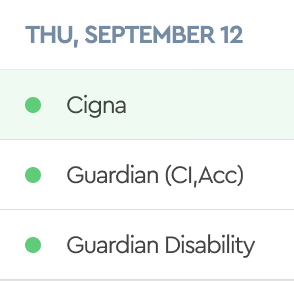
Log in and open the EDI Module. The dashboard appears in calendar view - every EDI 834 file sent or received shows on the day it was processed.

2

Locate the file you want to convert

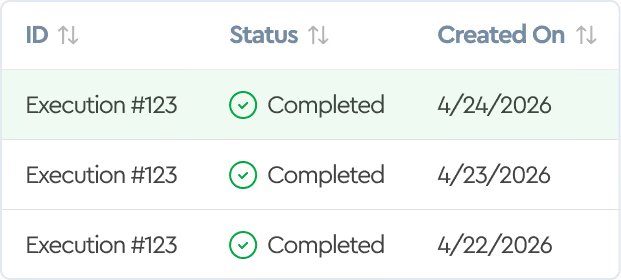
Click any file tile to open it. You’ll see details, status, and full transmission history.

3

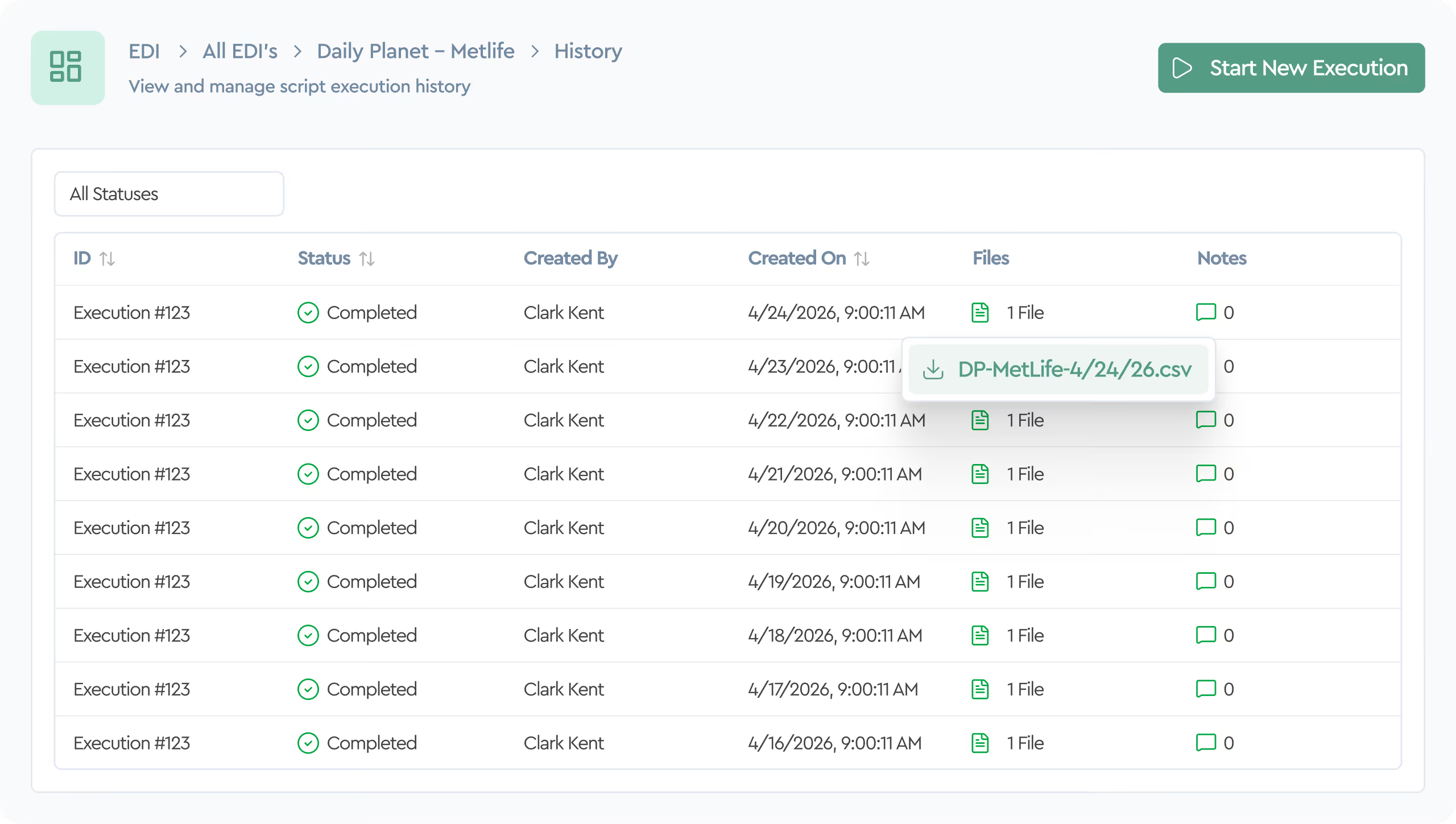
Download the CSV from the File Menu

Download the translated CSV - or generate a difference report that compares this file to the previous version and exports only what changed.

EDI to CSV Conversion Examples

Every EDI 834 to csv conversion produces flat, one row per member, with columns for subscriber and dependent coverage, plan codes, effective dates, and employee mapping fields like Business Unit, Department, and Location.

Supported
Conversions

Our EDI to CSV converter is built around EDI 834 - the enrollment and maintenance format most carriers use. Beyond standard 834, it handles custom EDI segments, fixed-length files, XML, JSON, CSV, and Excel (including multisheet formats).

Why Choose Tabulera for EDI to CSV Conversion?

Most tools translate 834 into something almost as confusing. Tabulera translates it into something your HR team can actually use - with every data transformation validated end-to-end.

Built for Complex EDI Structures

Our EDI to csv conversion software handles nested loops, effective date ranges, and dependent relationships without losing context. Unlike a generic EDI to csv conversion tool, it keeps subscribers and dependents linked end to end.

Accurate Data Mapping

Every data transformation is validated against your enrollment data before the CSV file is generated.

SOC 1 Type 2 Compliant

All data transformation happens inside a SOC 1 Type 2 environment with encryption in transit and at rest.

Tabulera’s EDI to CSV Converter vs Manual Conversion

Manual parsing works on a one-off file. The gap shows up on the second carrier, the next spec update, or the first audit.

Carrier variations
Employee enrichment
File-to-file diff
Spec changes
Pre-mapped across 200+ carriers
Business Unit, Dept, Location included
Built-in difference report
Handled by Tabulera's team
Competition:
Custom parser per carrier
Only fields native to the 834
Manual spreadsheet compare
Rewrite your parser

Integrate EDI to CSV Conversion into Your Workflow

Once your EDI 834 feeds run through Tabulera, every file is already in the dashboard - ready to convert EDI to csv on demand. All historical EDI documents stay queryable on-screen via the built-in Member Search, without downloading anything.

"Tabulera's EDI technology enables Vensure to quickly bring new insurance products to market."

Andrew Lindley

CIO/COO

Vensure

Get Answers Out of Your EDI Files

Stop writing one-off parsers. Tabulera's EDI to csv conversion solution - a feature of the EDI Module - lets your team convert EDI to csv in minutes, with enrollment data one click away.

Schedule Demo

FAQ

Can I compare two EDI files as CSVs?

Yes. The built-in difference report exports only what changed between two CSV files - adds, terms, rate changes, dependent updates.

Is the conversion accurate?

Every CSV file is validated against the source data before export. Our EDI to CSV converter produces clean, audit-ready output.

Do I need technical knowledge?

No. The the flow is built for HR, benefits, and operations teams. No X12 spec required.

Can I convert EDI 834 to CSV across multiple carriers?

Yes. The converter works across all 200+ carriers in our network and handles carrier-specific variations automatically.

How do I convert an EDI file to CSV with Tabulera?

Simply open the EDI Module, click on a EDI 834 file in the calendar dashboard, and download the translated CSV from the File menu.