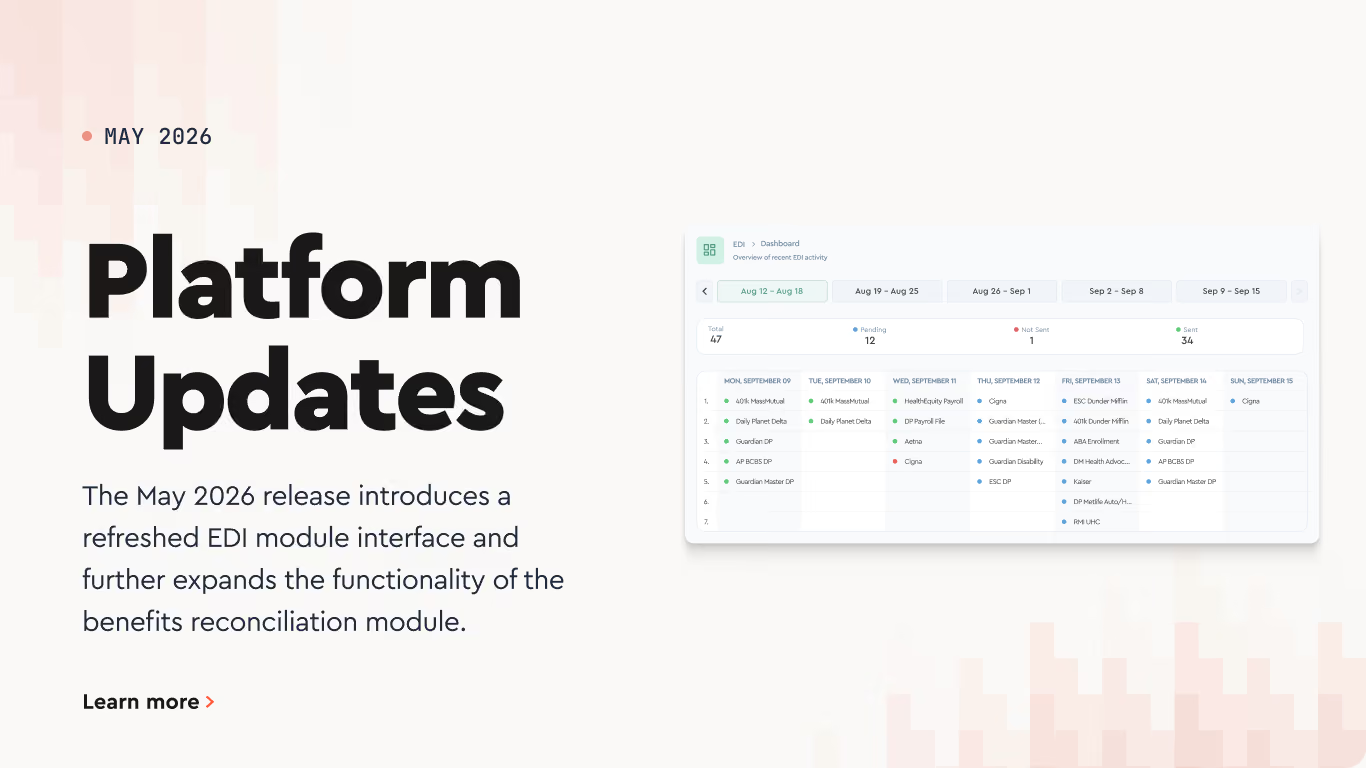
The EDI module has been redesigned with a refreshed interface and expanded functionality. The new layout makes it easier to review transmission history, drill into individual files, and manage carrier configurations from a single view.
Here's what's changed in each section:
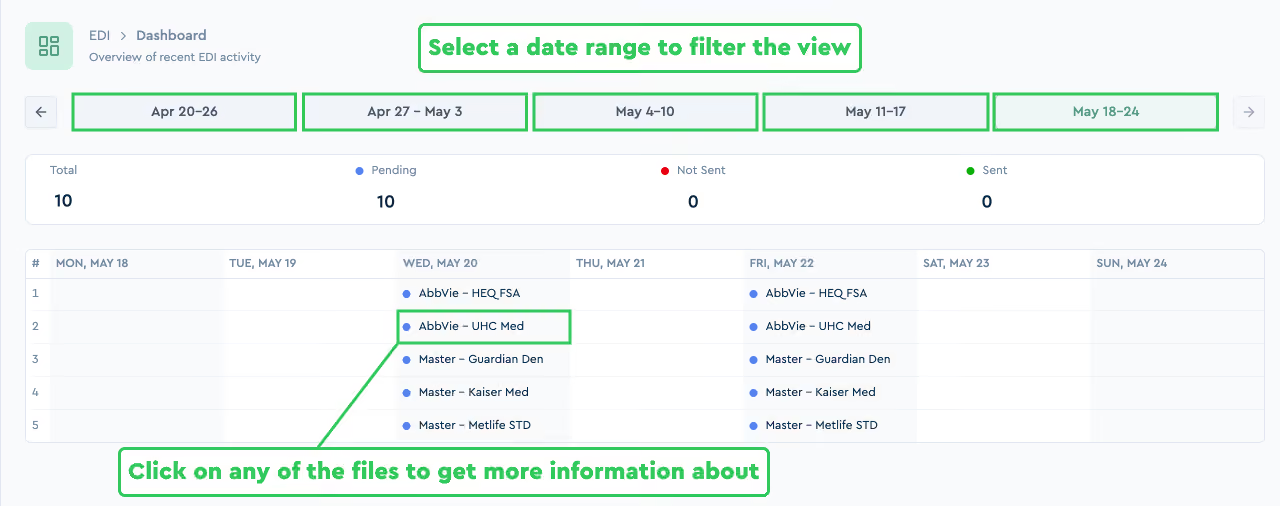
Date range selector. Just as before the data sector tabs allow you to review the full history of transmissions for the selected period.
EDI status overview. The status counters directly below the tabs show how many files are Total, Pending, Not Sent, and Sent for the selected week.
EDI File Details. The weekly overview is now interactive. Click on any of the files you wish to get more information about.
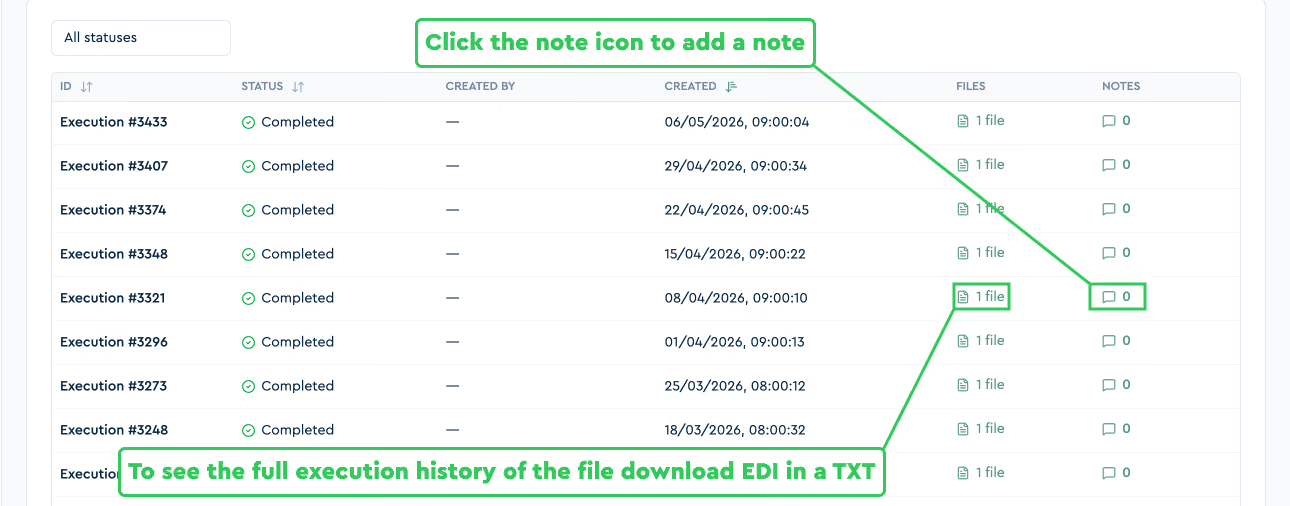
EDI File History. Once you’ve selected the file you can now see the full execution history of that file, Download each EDI in TXT, Unified CSV formats and add a note.
USER logs. Each interaction with the EDI Module leaves an audit trail - you can review it here.
EDI Wizard. You can now review and manage carrier configurations, field mappings, and structure files
Tabulera Billing Dashboard
The Billing Dashboard now gives each client a full self-service view of their Tabulera invoices, platform pricing, and implementation costs. Open the Billing Dashboard by clicking your name in the top-right corner and selecting Billing from the dropdown.
Invoice Downloads.
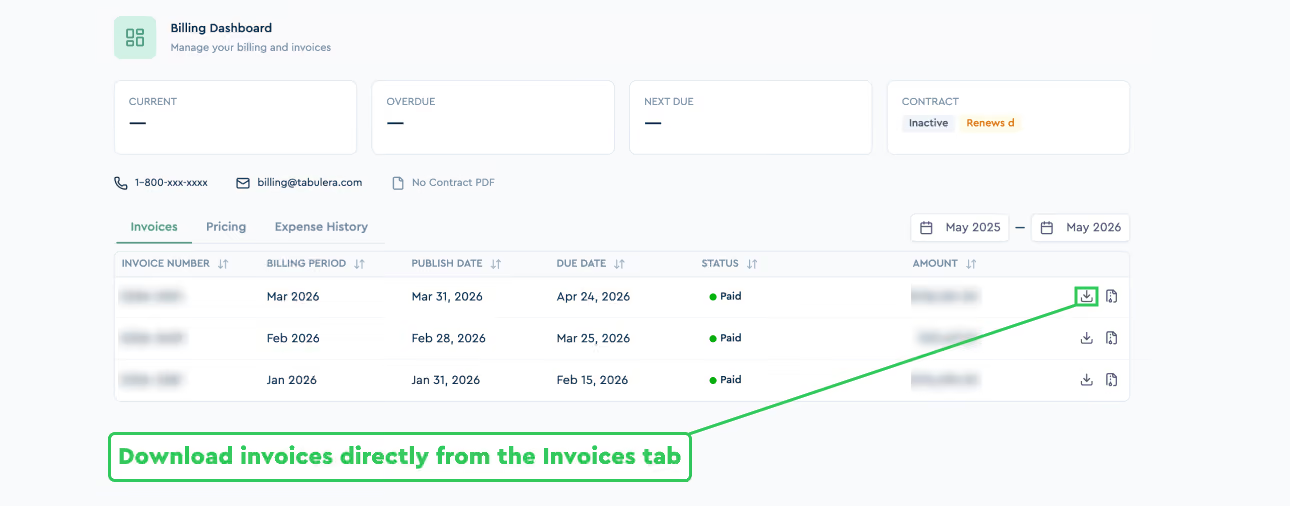
You can now download invoices directly from the Invoices tab. Each invoice can be downloaded individually from its row.
The tab lists every invoice issued to your account, with invoice number, billing period, publish date, due date, status, and amount
Pricing and Implementation Visibility.
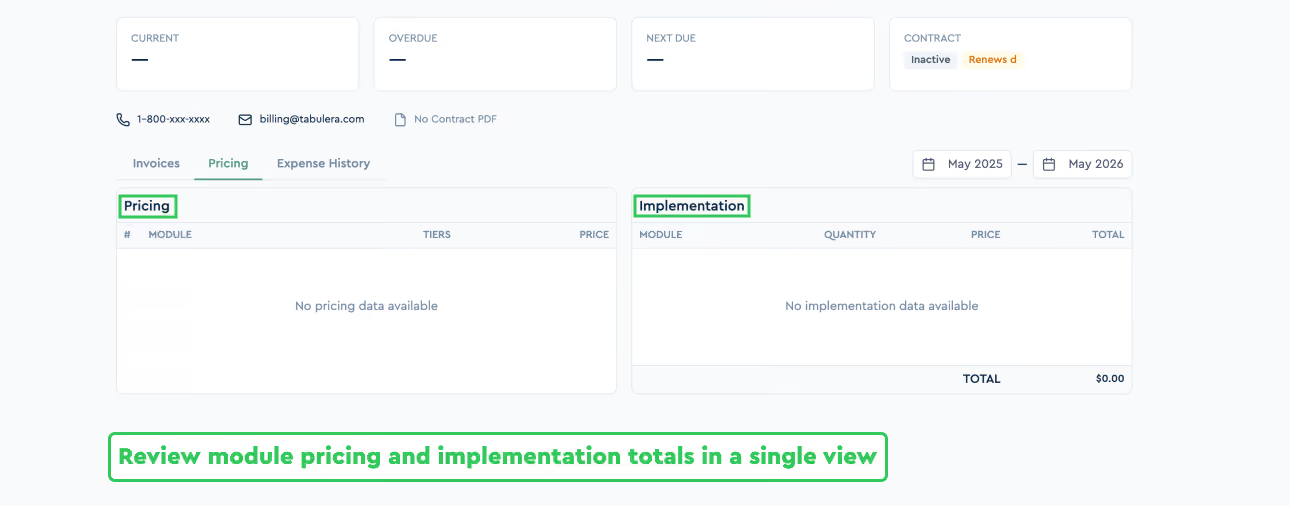
The Pricing tab now displays exactly what you pay for the Tabulera platform and what was charged for implementation.
The Pricing panel lists each module with its tier and per-period price.
The Implementation panel lists each line item with quantity, price, and total.
Together, they show the recurring platform cost and any one-time setup charges in a single view.
Date Range Filter.
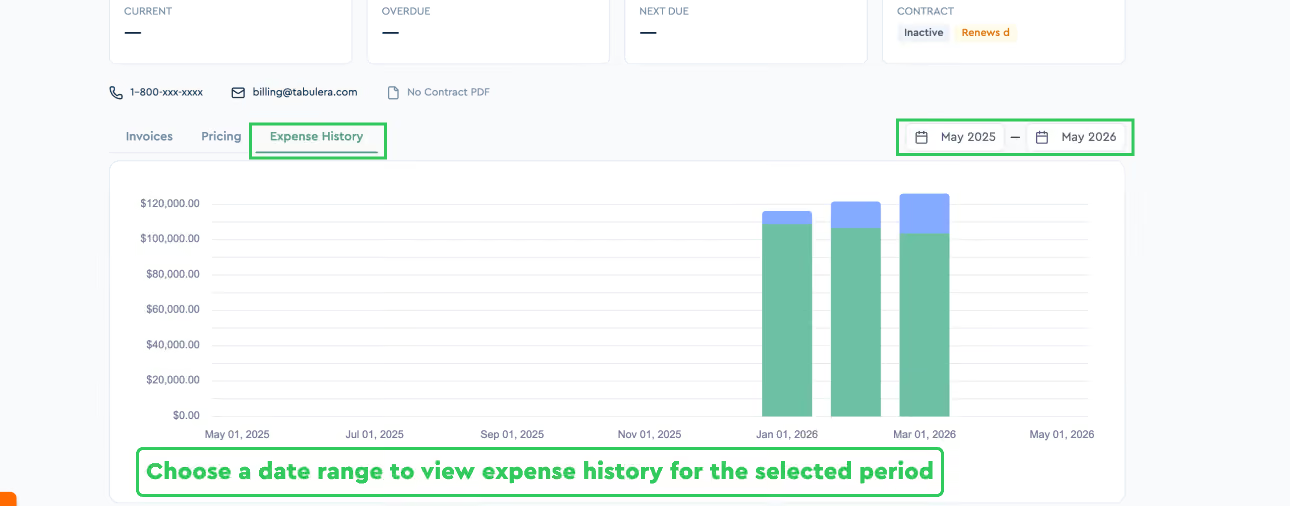
A date range selector at the top of the dashboard filters invoices, pricing, and expense history to the selected period.
The selected range applies across the Invoices, Pricing, and Expense History tabs.
Use it to scope the view to a specific month, quarter, or year.
Benefits Reconciliation Updates
Per-Company Pay Frequency in Master Plans.
The Pay Frequency Adjustment can now be set per individual company within a Master Plan.
To learn more about the Pay Frequency Adjustment, see the July 2024 update.
New Columns in Employee List View
Two new columns can now be added to the Employee List view: Date of Birth and Terminated Date.
The columns are enabled per account by Tabulera Customer Support.
Once enabled, they can be enabled under the Columns menu in the Employee List alongside existing fields.
To enable Date of Birth or Terminated Date, contact Customer Support via the orange Live Chat button or by emailing support@tabulera.com.
Cost Center in the YTD Report
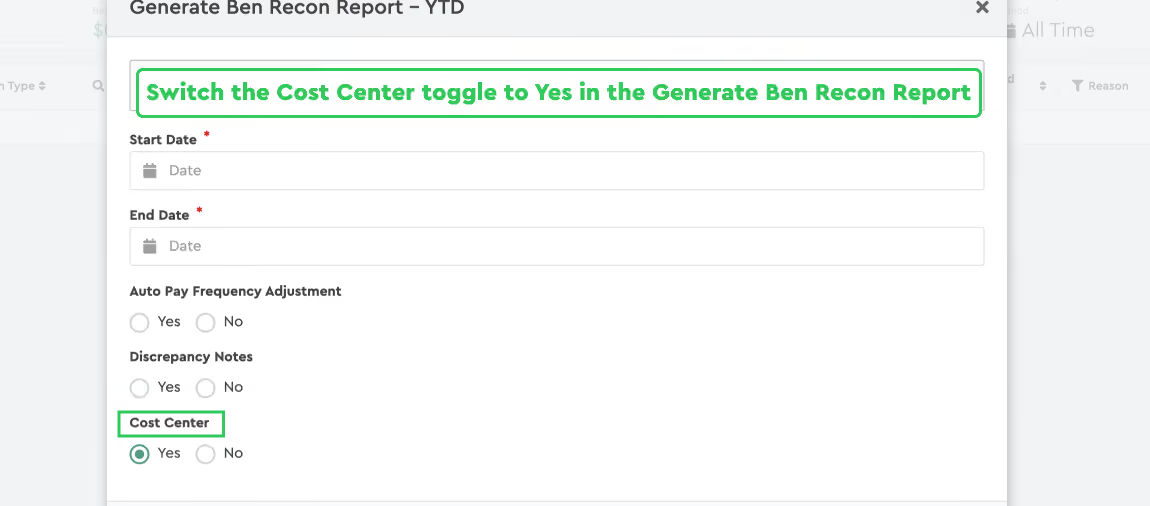
For clients on PrismHR, Cost Center can now be displayed in the Benefits Reconciliation YTD Report.
To enable the column switch on the toggle in the Benefits Reconciliation YTD report.
Available only for accounts integrated with PrismHR.
Variable Margin Fees by Period.
Margin Fees can now be configured to change across time periods within the same year.
Different rates can be set for different date ranges — for example, 1% for July through August and 2% for September through January.
You can configure static Margin Fees by going to Payroll Reconciliation → [Period] → [Select Invoice] → Plan Configuration → Margin Fees.
To enable dynamic Margin Fees, contact Customer Support — through the orange Live Chat button, or by reaching out to support@tabulera.com.
Pre-Pay Flag in the YTD Report.
The Benefits Reconciliation YTD Report can now display whether each company is on Pre-Pay or No Pre-Pay billing. This improves YTD reporting accuracy.
Benefits Open Enrollment: Employer Guide and Checklist
A complete open enrollment guide for employers: when the open enrollment period runs, key dates and deadlines, a step-by-step checklist, and tips that work.
Best HRIS Systems: Top 10 Picks by HR Teams in 2026
Discover the best HRIS systems in 2026. Compare the top 10 HRIS platforms, features, pricing, pros and cons, and find the best HRIS software for your HR team