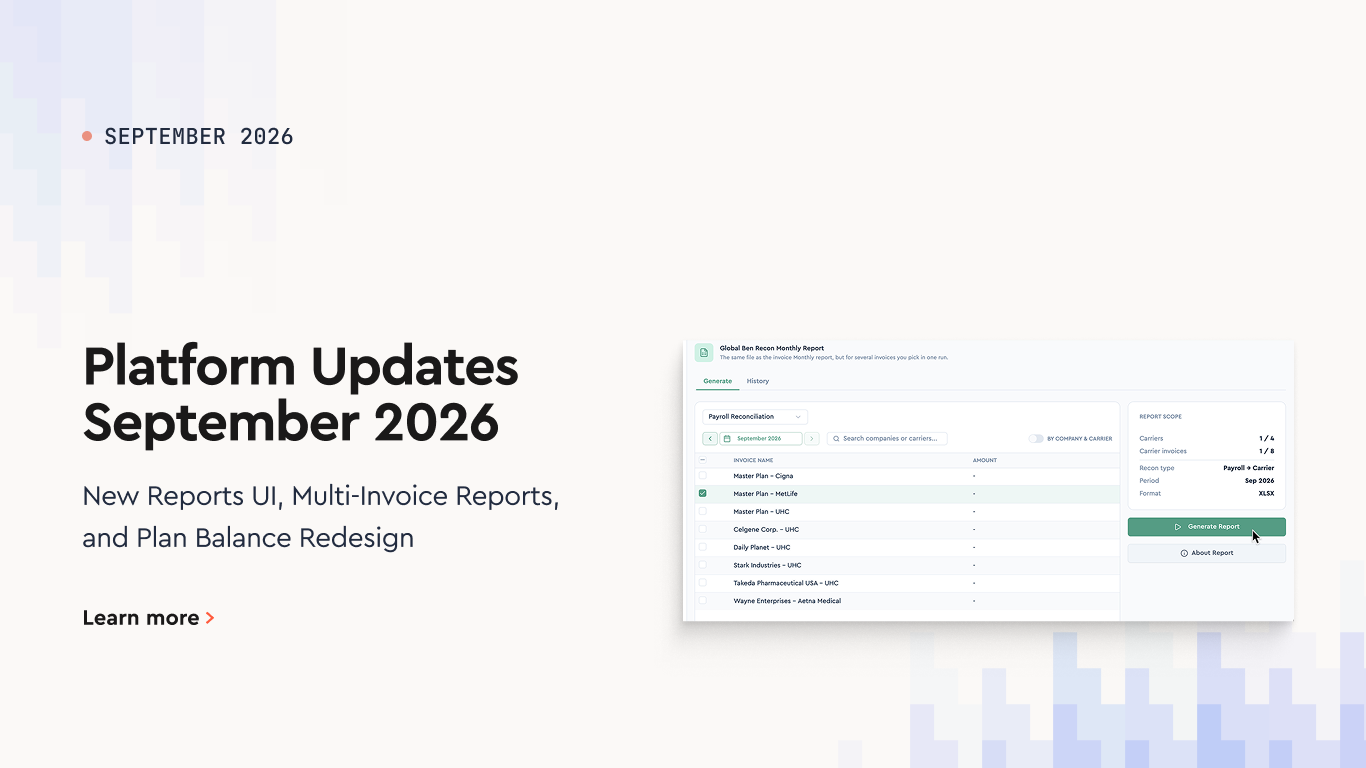
September's release covers the reports section, the Plan Balance Report, and a handful of smaller changes. The common thread is traceability: every generated report is now kept, and every member balance now shows where it came from.
Reports Updates
We've rebuilt the reports section with a new interface and added two capabilities on top of it: multi-invoice reports and report generation history.
1. New Reports UI
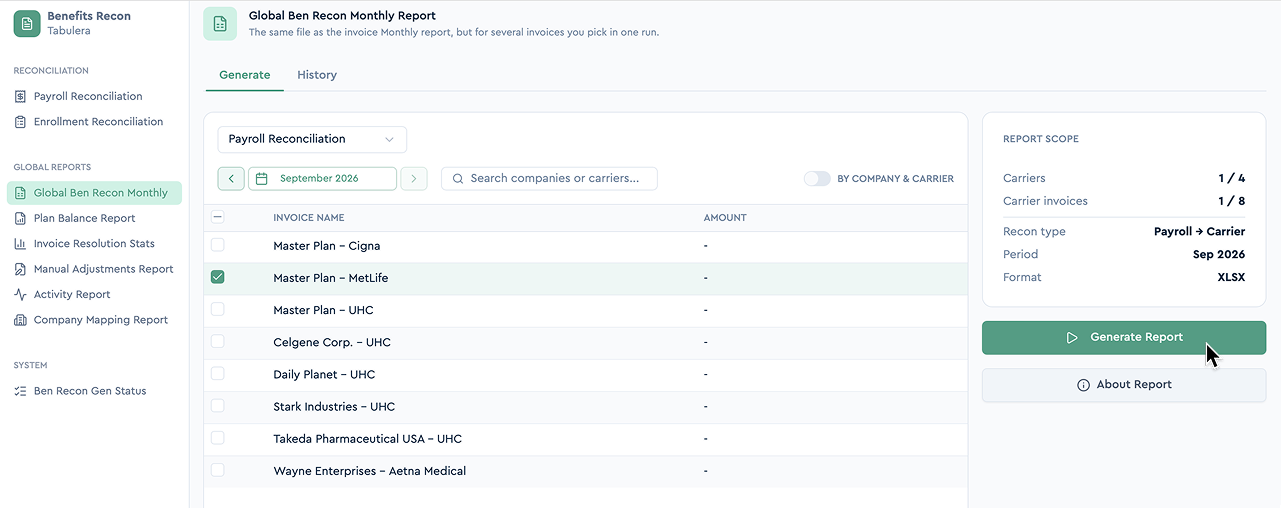
The reports section has been redesigned. Selecting a period, choosing what to include, and generating a report now happen on one screen, with a clearer layout.
2. Multi-Invoice Report
Multiple invoices can now be downloaded as a single report.
Select the invoices you need from the list, then click Generate.
One file covers the whole selection - instead of running a separate report for each invoice.
3. Report Generation History
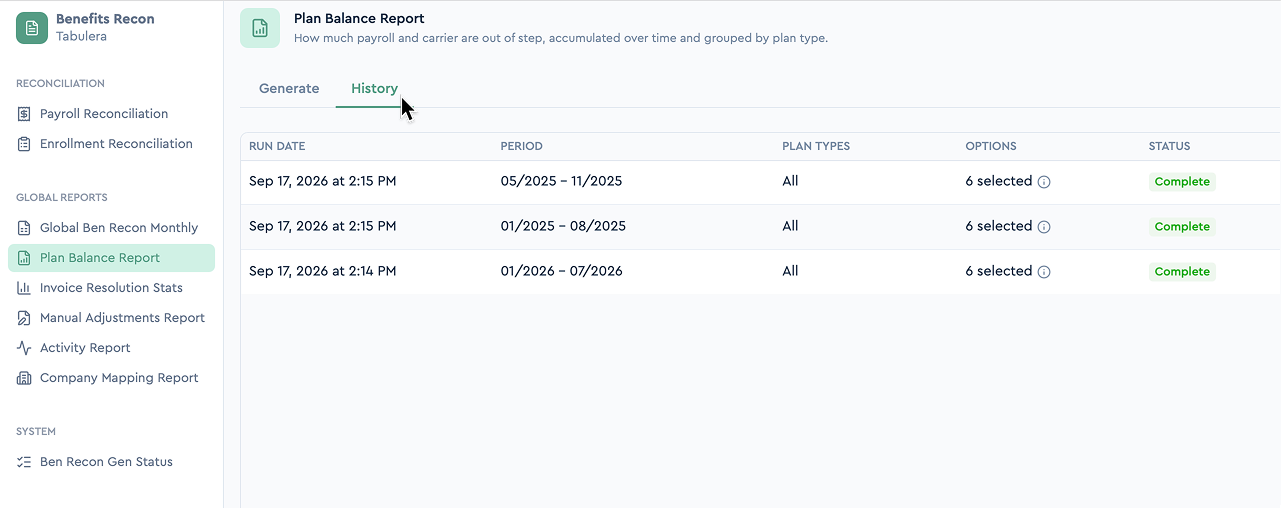
Every generated report is now stored, and the reports section keeps a full history.
The history shows what was generated and when.
Any earlier report can be re-downloaded without regenerating it.
This is useful when you need the exact file that was sent previously - not a fresh run against data that may have changed since.
Plan Balance Report Updates
The Plan Balance Report now shows how each member's balance moves through the period, instead of a single running total.
1. Starting and Ending Balance Columns
The Running Balance column has been replaced by two columns:
Starting Balance - the balance carried into the period. This is the member's Ending Balance from the prior month for the same plan. For a member's first record, it starts at 0.
Ending Balance - Starting Balance plus the period's Carrier Bill to Payroll Variance.
Because each period now starts where the last one ended, you can follow a member's balance month over month and see exactly where a difference was introduced.
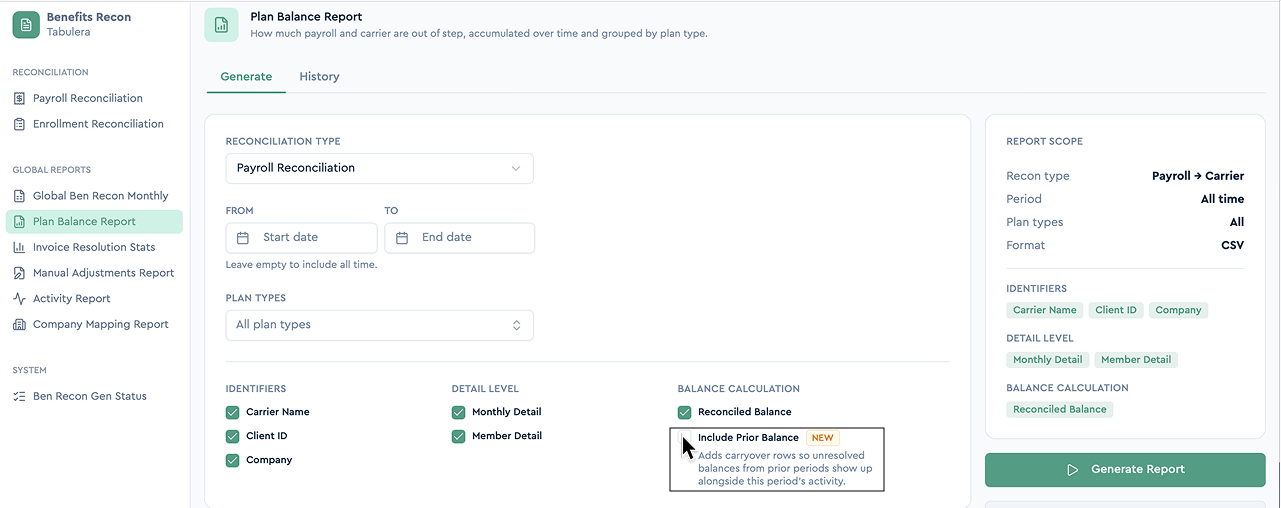
Note: By default, a member's first row in the report starts at 0. Enable Include Prior Period when generating the report to carry in the member's balance from before the selected period instead.
2. Carryover Rows
Members with an unresolved balance from a prior period now appear in the report even when they have no activity in the current period.
Previously, those balances dropped out of view once activity stopped.
They now carry forward alongside the current period's rows until they're resolved.
Note: this replaces the Running Balance column. If you have saved exports, templates, or downstream spreadsheets that reference Running Balance, point them at Ending Balance.
Additional Changes
In the Monthly Report, the Resolved column has been renamed Status.
When a Carrier Bill includes a COBRA Adjustment, the detail view now shows the adjustment and the date it applies to.
Benefits Open Enrollment: Employer Guide and Checklist
A complete open enrollment guide for employers: when the open enrollment period runs, key dates and deadlines, a step-by-step checklist, and tips that work.
Best HRIS Systems: Top 10 Picks by HR Teams in 2026
Discover the best HRIS systems in 2026. Compare the top 10 HRIS platforms, features, pricing, pros and cons, and find the best HRIS software for your HR team