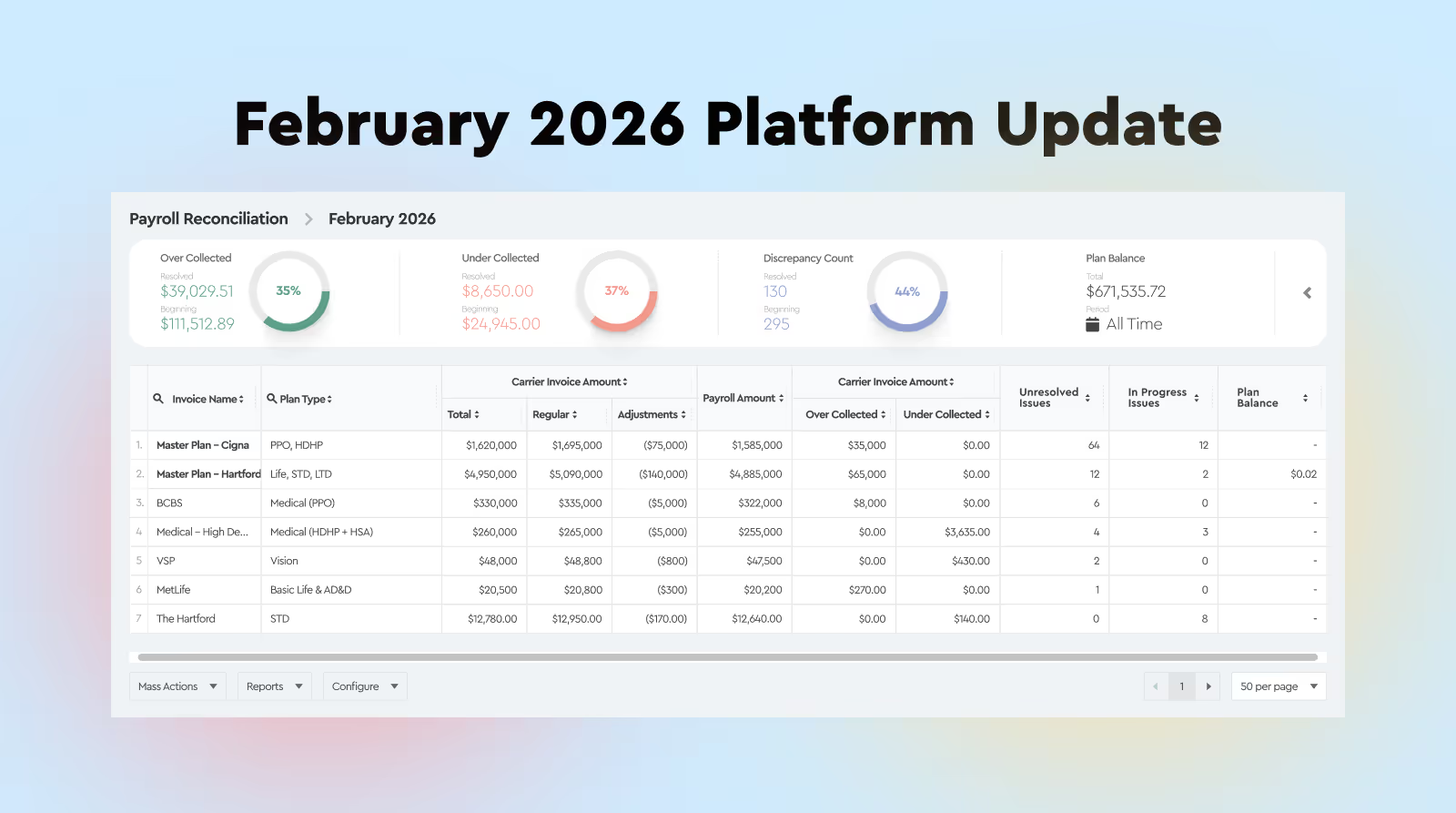
Benefits Reconciliation Updates 1. Plan Balance Calculation Logic Plan Balance is now configurable.
By default, Plan Balance is calculated as:Payroll Amount – Carrier Invoice Amount If your accounting requires the opposite logic, this can be switched. This allows teams to align reconciliation results with internal accounting standards.
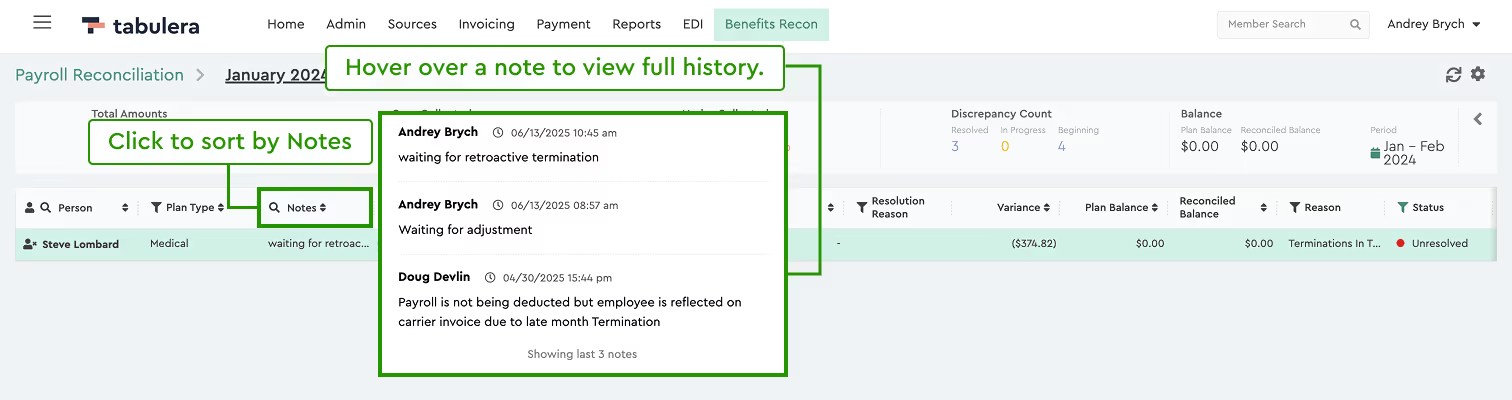
2. Notes: Hover View and Sorting Notes are now easier to review and manage.
In the Employee List view, hovering over a note shows the full notes history in a popup. There is no need to open the employee detail view. The Notes column is now sortable.
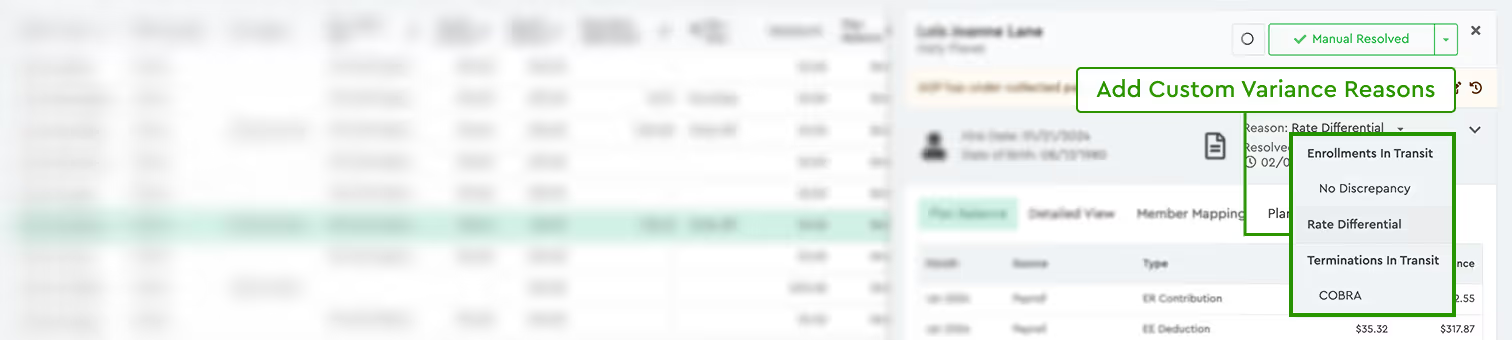
3. Multiple Variance Reason Codes Variance explanations are now more flexible.
The list of available Reason Codes is now configurable. Clients can request which codes should be enabled. Reason Codes can include Sub-Reason Codes for more detailed classification.
4. Invoice-to-Payroll Month Shift for Pre-Pay Invoices Pre-pay invoices can now be matched correctly to payroll.
Example: an invoice billed in January can be matched to December payroll, when the carrier bills in pre-pay. The month shift can be enabled per invoice or per plan. Clients can specify which invoices or plans should use this logic. This improves accuracy when reconciling pre-paid carrier invoices.
5. Improved “In Progress” Tracking Tracking pending carrier adjustments is now automated.
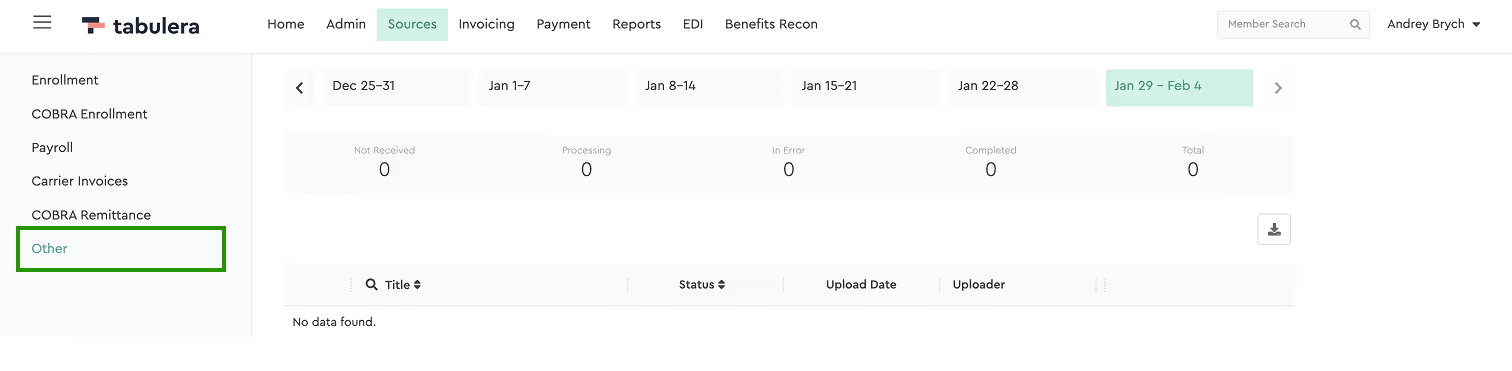
If a variance is under review with the carrier, set the resolution to In Progress. The platform will wait for the adjustment to appear on a future invoice. Once the adjustment is detected, the prior period is automatically resolved. Sources Menu Updates 1. New Source Type: “Others” A new source type has been added to support additional files. Typically used to upload:
PrismHR ALL Census files 401(k) census files MetLife and HealthEquity files
2. Partial Re-Upload for Carrier Invoices Managing multi-file invoices is now easier.
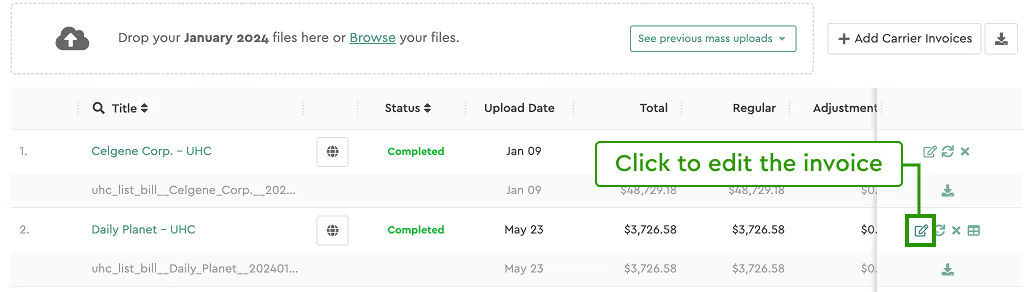
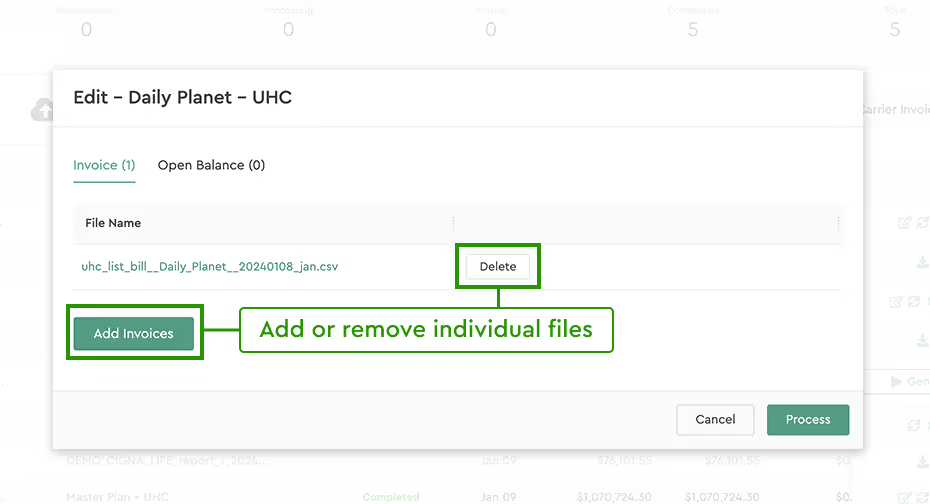
If an invoice contains multiple files, you no longer need to re-upload all of them. Click Edit and replace only the file that needs updating.
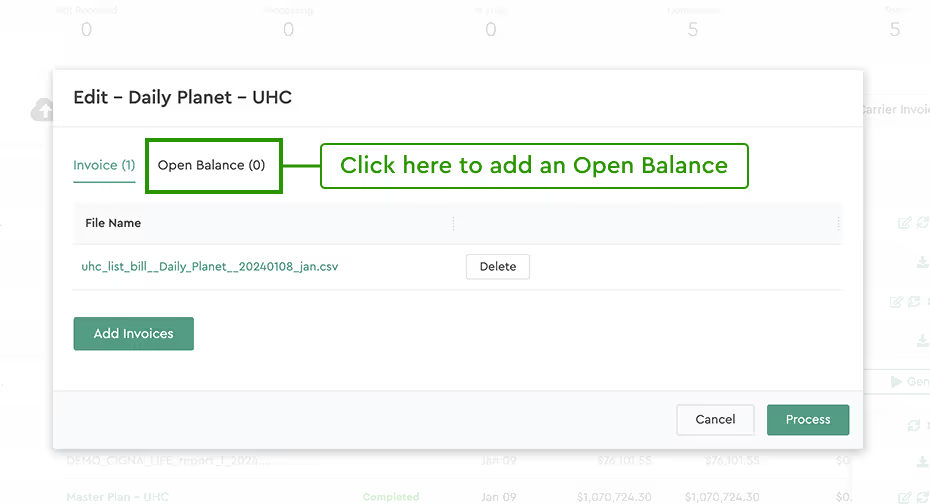
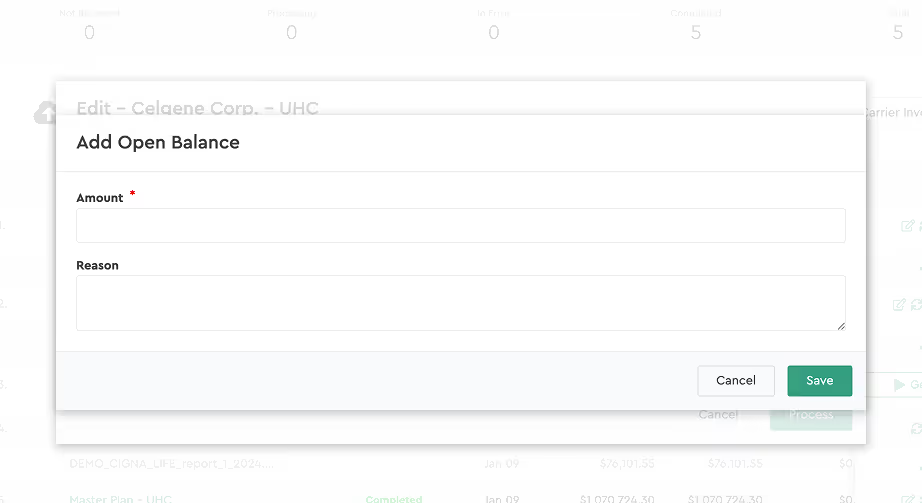
3. Open Balance Support on Carrier Invoices This feature is available for Consolidated Invoicing users who need to manually record adjustments.
You can add Open Balances directly in the Carrier Invoices tab. This is typically used to apply manual adjustments during the consolidation process. For Master Plans, select the specific company within the plan before adding the Open Balance.